Reviewed 29 October 2026
Punch to Escape Beginner Guide & Controls
A practical first-session route through punching, vacuuming, selling and returning safely during guard searches.
Browse by task
05 guides
Plan your escape
Build a work loop and respond to searches.
- Punch to Escape Beginner Guide & ControlsA practical first-session route through punching, vacuuming, selling and returning safely during guard searches.
- Punch to Escape Guards: Cell Search Warning GuideWhat the red cell-search warning means, how to respond to the countdown and what to check before returning to work.
- Punch to Escape Upgrades & Robots GuideFind the robot upgrade station and choose purchases around breaking, collecting and selling bottlenecks without relying on unverified price lists.
- Punch to Escape Room Progression & Stuck Objective HelpHow to interpret the wall-clearing objective, look for remaining blocks and respond when a new room opens.
- Punch to Escape Codes: Current Verification StatusNo working codes or redemption menu are confirmed for DomBlox Games’ Punch to Escape as of 29 October 2026. Avoid codes for similarly named games.
Quick answer
Start with the fist tool, break wall blocks, switch to the vacuum, collect rubble, then sell to your cellmate. Repeat the loop while working toward the objective at the top of the screen.
§1. Break wall blocks#
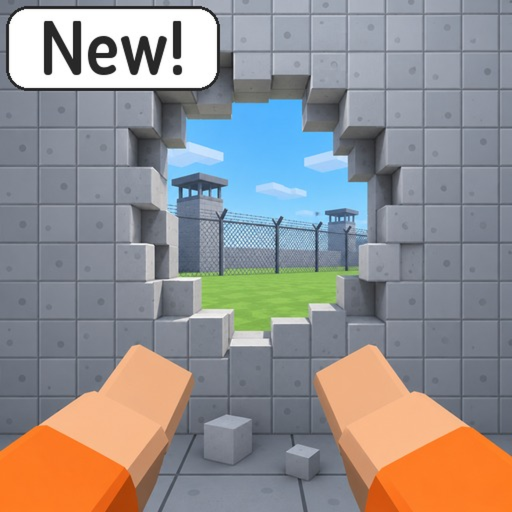
Equip the fist tool and work on the breakable wall. The reviewed PC interface places the fist in slot 1 and the vacuum in slot 2. The official promotional image shows a mouse-click punch prompt. Mobile and controller bindings have not been verified.
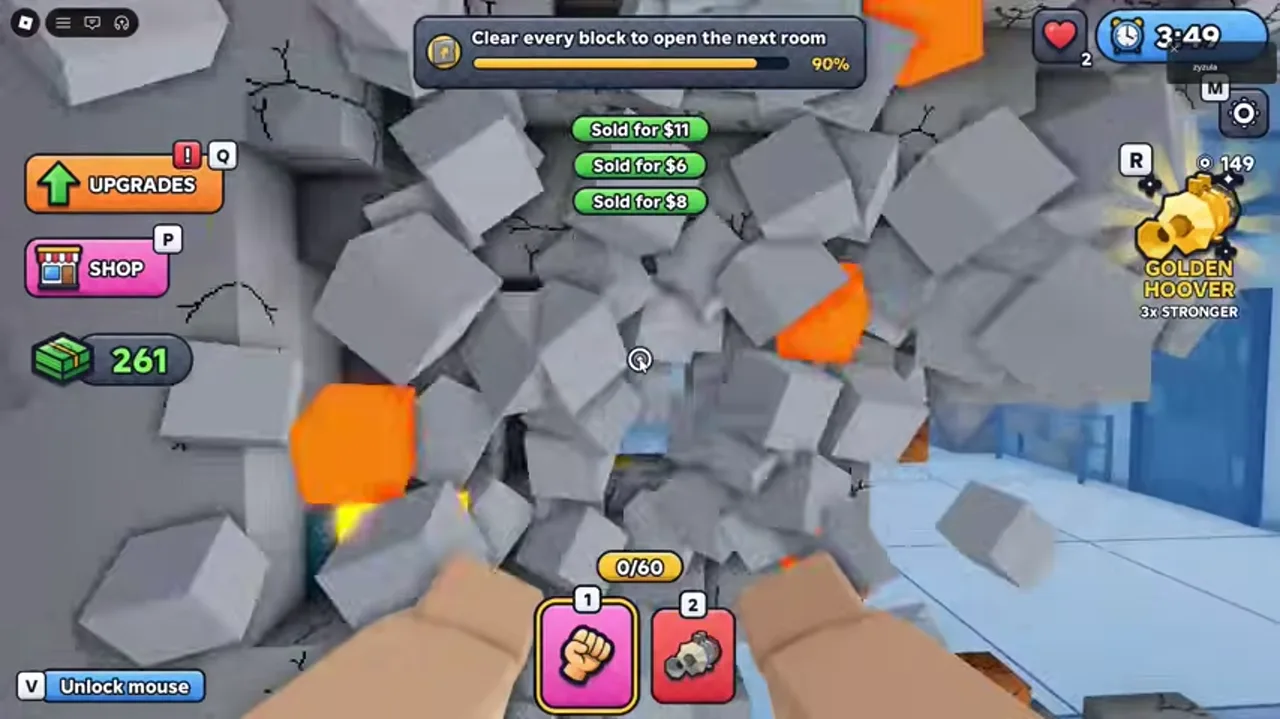
Watch the objective at the top of the screen. A visible hole does not always mean a room is complete: the recording explicitly asks players to clear every block to open the next room.
§2. Collect the rubble#
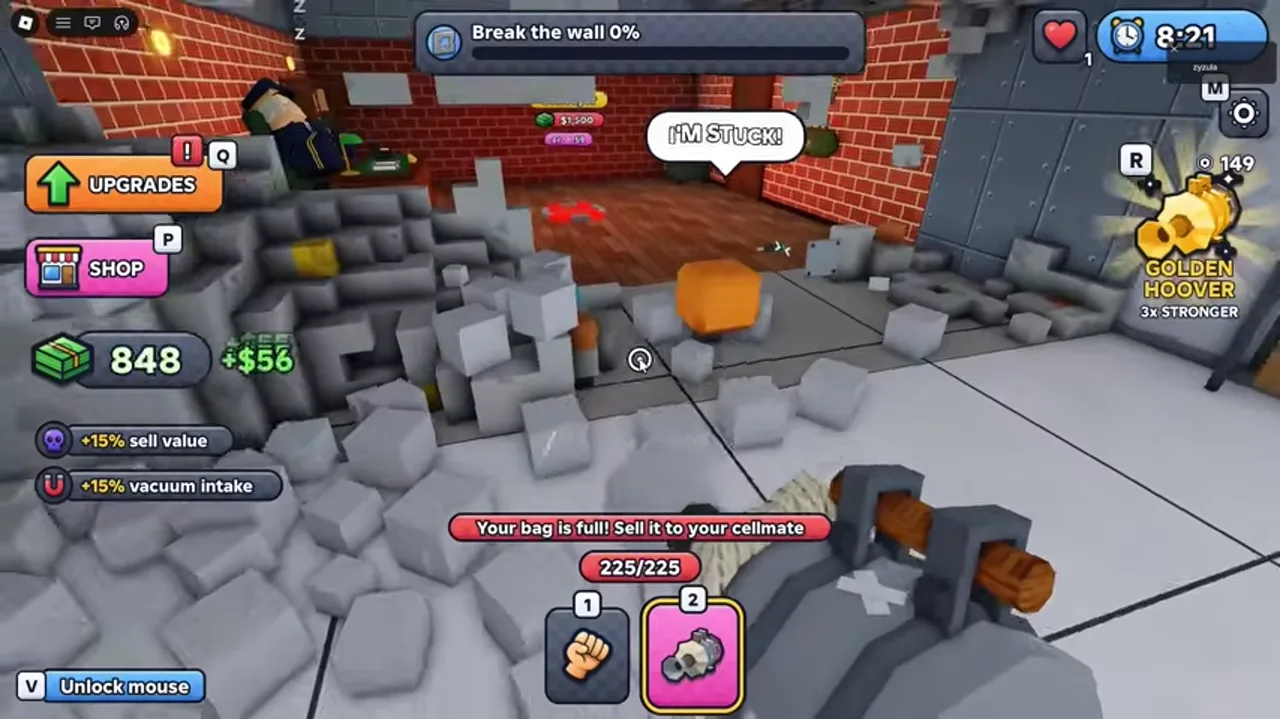
Switch to the vacuum after producing rubble. Watch the bag counter above the tool slots. When the bag is full, additional collection is interrupted and the game directs you to sell to your cellmate.
Collect in batches that still leave you time to return if a search warning appears. A large pile of rubble can hide small wall remnants, so alternate between cleaning and checking the objective.
More details and limitations
3 sections§3. Sell to your cellmate#
Take the collected rubble to your cellmate and sell it. The official description confirms this destination, and the reviewed footage shows green sale notifications with money values.
Use the bag meter and your cash balance as the success checks. Resume collecting after selling. If your cash does not change, confirm that you have actually collected rubble and that you are at the selling interaction.
§PC interface reference#
- 1: fist tool in the reviewed recording.
- 2: vacuum tool in the reviewed recording.
- Q: Upgrades shortcut shown beside the menu.
- P: Shop shortcut shown beside the menu.
- V: Unlock mouse prompt shown on screen.
- F: contextual Upgrade robots prompt at the robot station. These are observed PC labels, not a complete cross-platform binding list.
§4. Stop for guard searches#
When the red CELL SEARCH warning says “Get back to your cell!”, stop working and take the route back immediately. Keep following the search status before resuming the loop. Read the dedicated guard guide for the warning sequence.
Scope and sources
Guide scope
- Based on DomBlox Games’ official description and a reviewed community gameplay recording. We have not tested the game ourselves. Menu values and controls may change with updates.